The best home exterior design app depends on what you need to decide. For a quick style direction, start with a photo-based AI tool. For a specific paint or siding product, use a manufacturer visualizer. For measurements and a contractor conversation, consider a 3D capture tool.
Disclosure. Roomvana publishes this guide and makes one of the tools below. On November 22, 2026, we used one AI-generated sample house to try a siding recolor in Roomvana and Sherwin-Williams and a siding replacement preview in Hardie Designer. We compared the outputs with the original, looking at the siding, roof, trim, shutters, garage and yard. Our notes on Alside and Hover's measured 3D workflow draw on their public product pages.
| Your goal | Tool | Starting point | Main limitation |
|---|---|---|---|
| Explore a whole-facade look | Roomvana | One exterior photo; web | AI image is a concept, not a product specification or measured plan |
| Compare a paint palette | Sherwin-Williams Paint Color Visualizer | Sample scene or your photo; web | Screen color needs checking against a physical sample |
| Explore one siding brand | Hardie Designer | Exterior photo | Focuses on James Hardie products |
| Try a siding visualizer with a sample house | Alside Visualizer | Sample scene or your photo; web | Product selection is tied to this brand's visualizer |
| Explore a scaled exterior model | Hover | Smartphone photos; 3D workflow | A bigger capture and project workflow than a quick one-photo idea |
1. Roomvana: explore an overall direction
Roomvana's exterior page accepts JPG, PNG, or HEIC photos up to 20 MB and shows style choices, sample houses, and optional instructions. It is useful when you want to compare a broad look—say, a lighter facade with darker trim—before deciding on individual products. The separate exterior paint visualizer and roof color visualizer narrow the question to a surface.
The public entry page says you can explore example houses without an account; redesigning your own photo requires a free account. Its web pricing page lists a $9.99 one-time pack of 30 credits and free designs with a small watermark and standard-resolution export. Check current pricing before paying; mobile purchases can differ.
Limit: Treat the output as a visual idea. AI can change small details or suggest materials that do not correspond to a purchasable product. Check the windows, roofline and porch against the original, and confirm materials and installation details with a contractor.
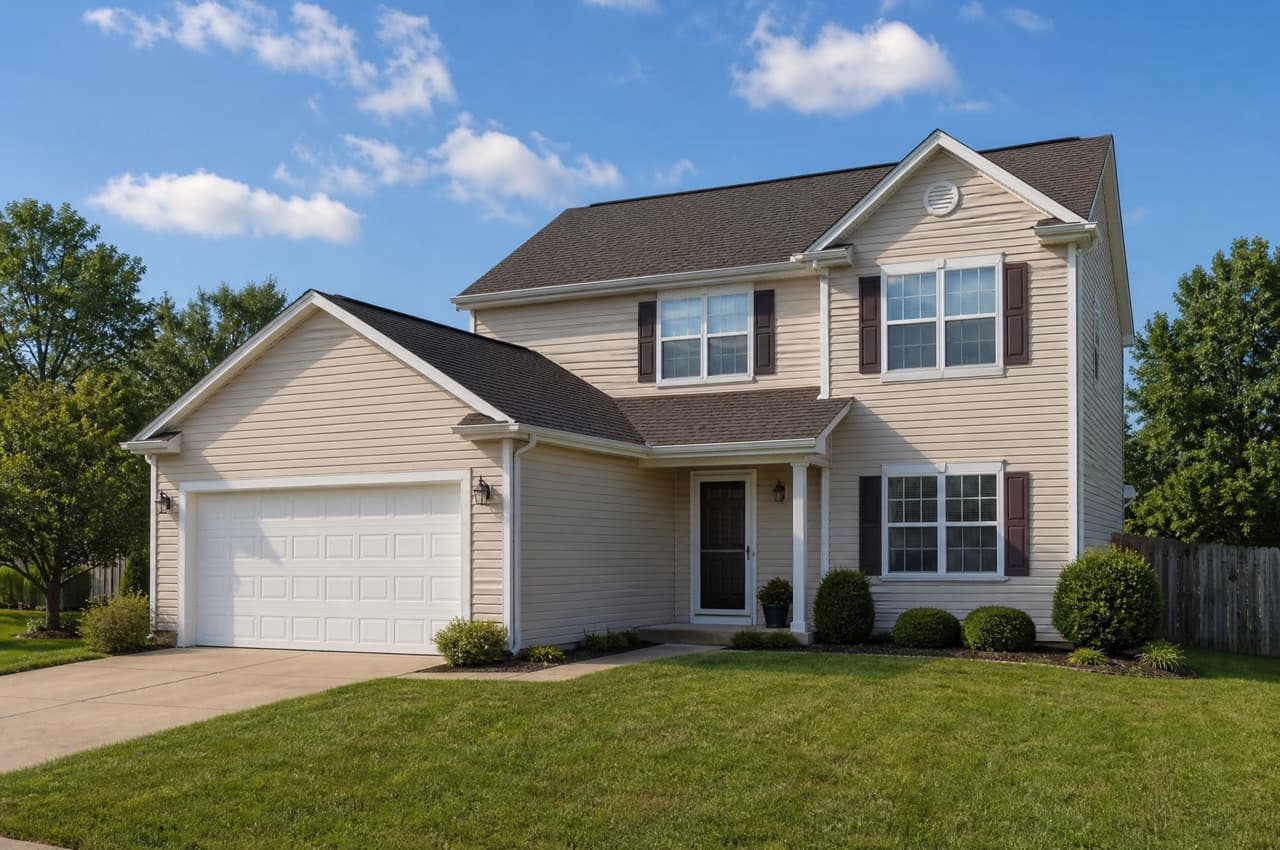
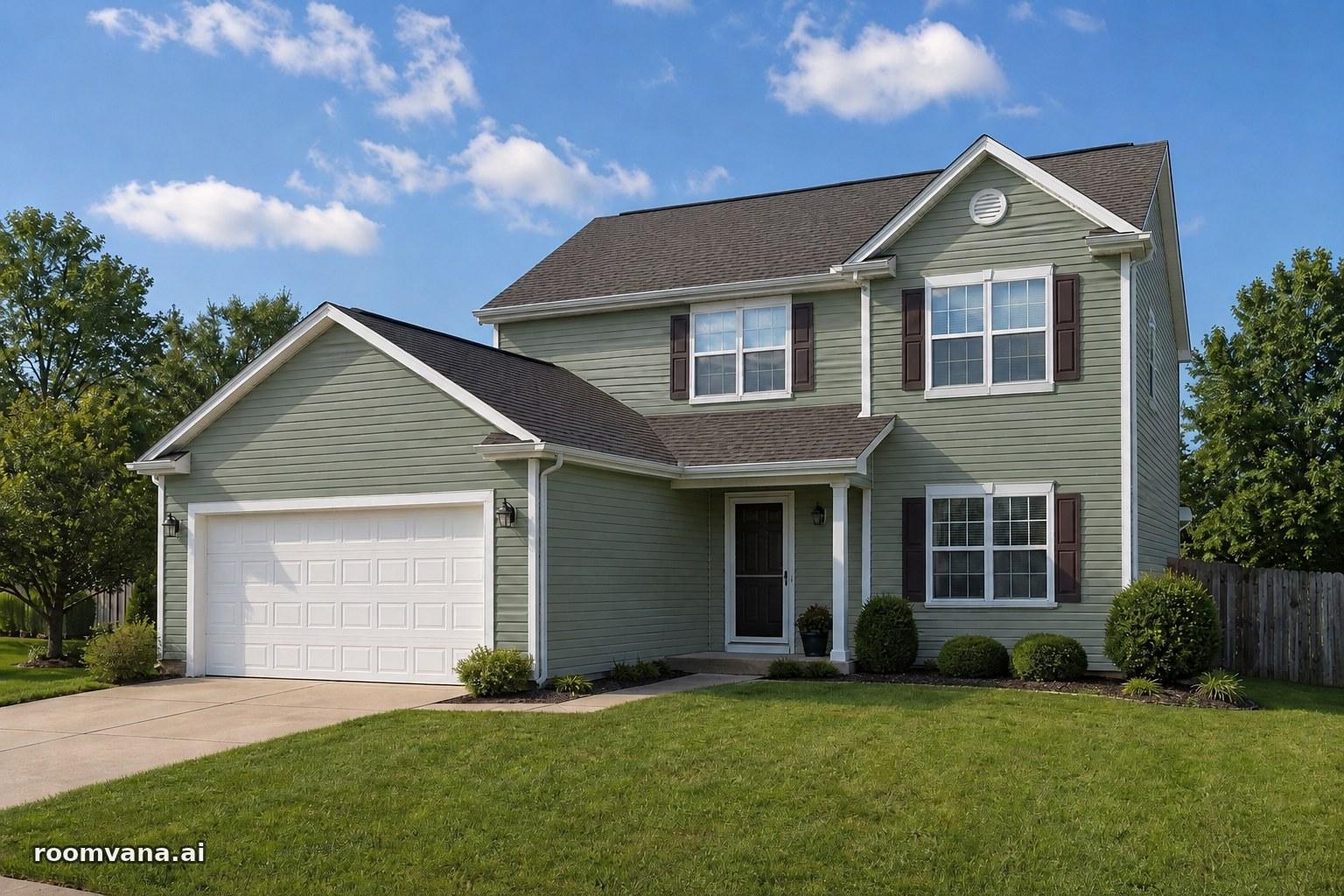
We opened Roomvana’s exterior paint visualizer, selected Siding and chose Sage Green, which Roomvana identifies as closest to Sherwin-Williams Clary Sage SW 6178. One credit produced two previews. Both showed muted green siding and kept the shutters dark, the trim and garage door white, and the roof brown. Exposure and siding texture shifted slightly.
2. Sherwin-Williams: compare actual paint colors
The Paint Color Visualizer lets you build a palette and try it on a sample scene or your own photo. We uploaded the same house without signing in, selected Clary Sage SW 6178 from the Digital Color Wall and applied it to the detected siding region. The result looked a little lighter and yellower than Roomvana’s previews. Most of the surrounding details held, though the shutter just left of the middle upstairs window picked up a green tint.
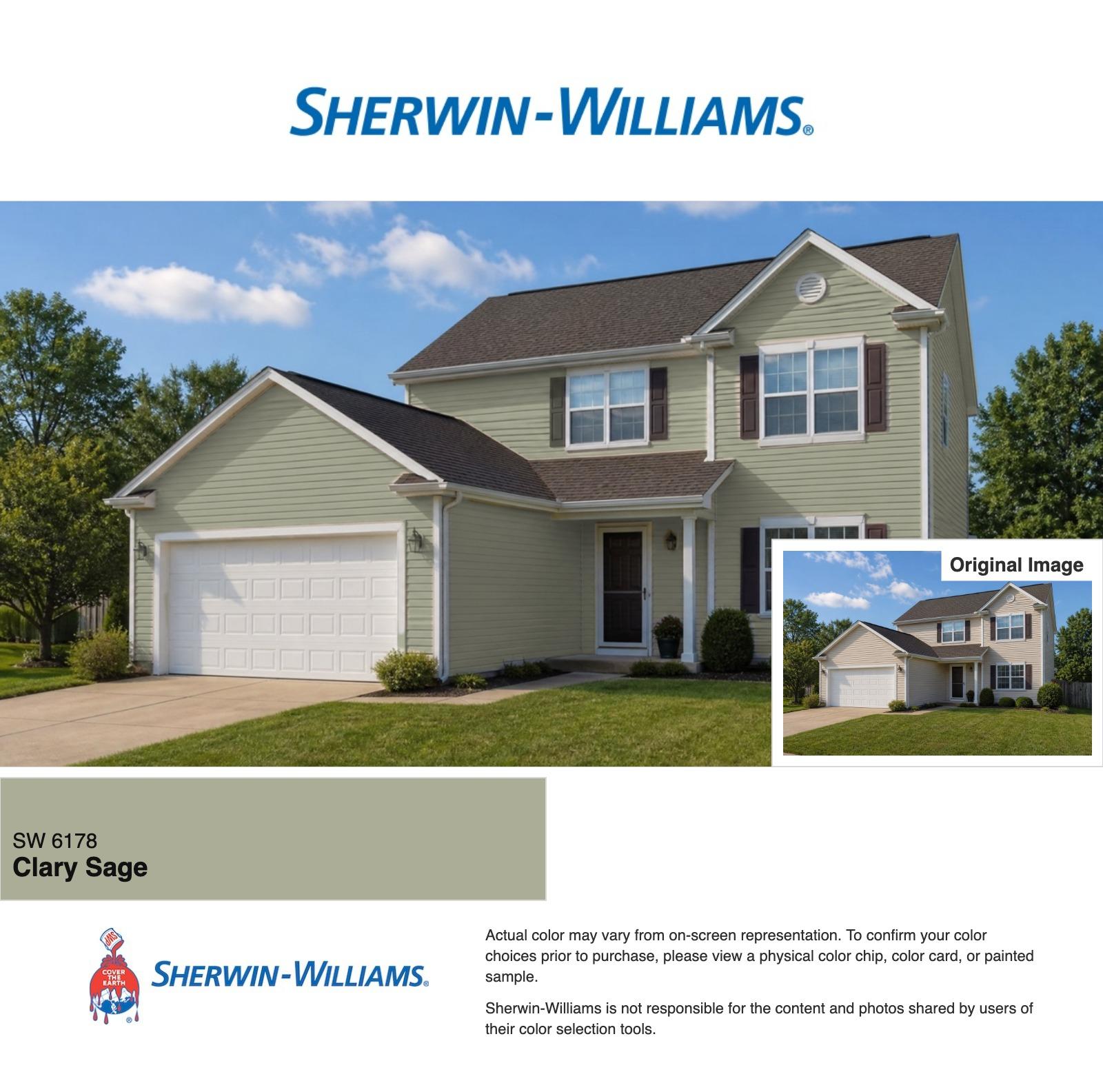
Limit: That shade difference comes from one house image and two rendering tools. Check the color against a physical chip or painted sample outdoors before making a purchase.
3. Hardie Designer: focus on siding
Hardie Designer, powered by Hover, is useful when you already have a Hardie siding product in mind. The homeowner workflow asked us to create an account with a name, email and project address before showing our preview. The form says it shares those details with James Hardie and asks users to accept Hover's Terms of Use.
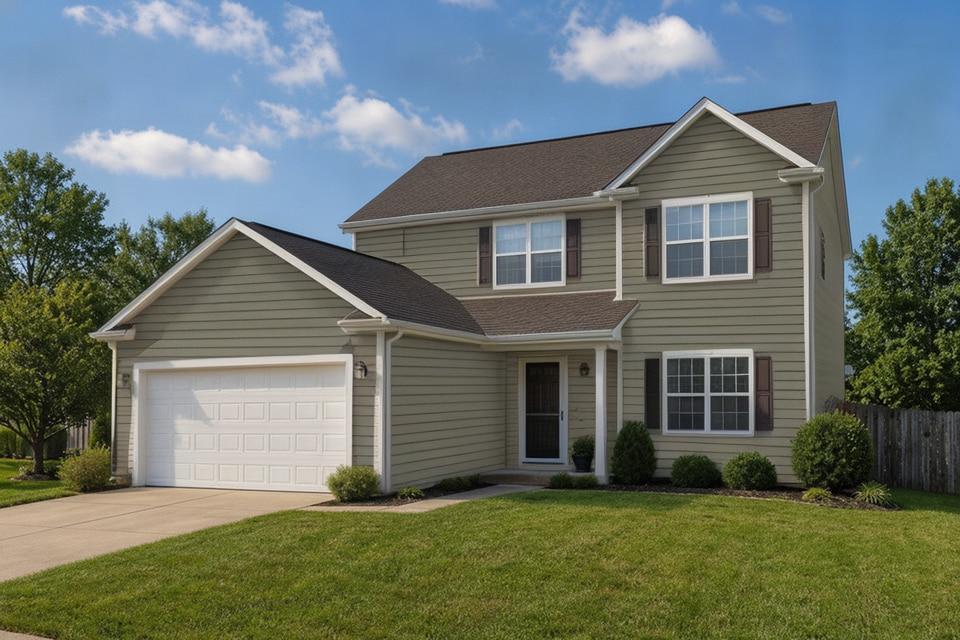
We opened the original photo in Swap walls and selected 7-inch Hardie Plank Select Cedarmill clapboard in Mountain Sage. The tool selected all walls by default, including a region it labeled Stone. We turned that region off for the final render. The preview shows gray-green horizontal planks, with the brown roof, white trim and white garage door still recognizable. The circular vent in the upper gable disappeared, a detail worth checking if you're planning to keep existing fixtures.
Limit: Mountain Sage is a Hardie siding finish with its own catalog color. Check a physical product sample and ask your contractor which profiles and finishes are available locally.
4. Alside Visualizer: start with a sample or your house
The public Alside Visualizer, powered by Renoworks, presents three paths: upload a photo for instant AI design, choose a sample project, or request photo preparation. The page describes the self-service workflow as free and the prepared-photo service as $50 with a stated three-to-five-business-day turnaround.
Limit: The visualizer calls its AI upload a rough visualization for early planning. The self-service and paid preparation routes are different; check the selected route and current price before submitting. The product library shown is Alside's, so use other sources for a wider brand comparison.
5. Hover: move toward a measured model
Hover describes a workflow that turns smartphone photos into a scaled 3D model, with exterior colors and manufacturer materials. It is worth considering when a contractor needs a model and measurements alongside design choices. Its public page offers a free design entry point; confirm which measurement reports or project features cost extra before ordering.
Limit: A measured model and a design image serve different purposes. Discuss the measurement report, scope, and any site verification with your contractor; neither the model nor a visual selection is a final bid by itself.
How to compare designs without losing track of the decision
- Photograph the house straight on in daylight. Include the entire roofline and front door. Move cars and other obstructions if practical. Roomvana's upload page gives similar guidance; Alside requests a straight-on, minimally obstructed photo for its preparation service.
- Choose one question per pass. First compare two overall color directions. Then check a named paint or siding product in its own visualizer. Save the product name and finish beside each image.
- Inspect the unchanged parts. Compare the original and result around window counts, roof edges, porch posts and door openings. An AI preview may alter details even when the requested change is only cosmetic.
- Hand over both the picture and the decisions. Tell a painter or contractor which elements are fixed and which are ideas. Request measurements and a written quote, then check physical samples in the actual light.
For example, a useful handoff is: “Keep the windows and roof as they are; price a light warm siding and dark door. This image shows the direction, not the exact color.” Attach a named product or sample only after you have selected one.