Exterior paint visualizer — see a new color on your own house
Upload a photo and try a new finish in your own space.
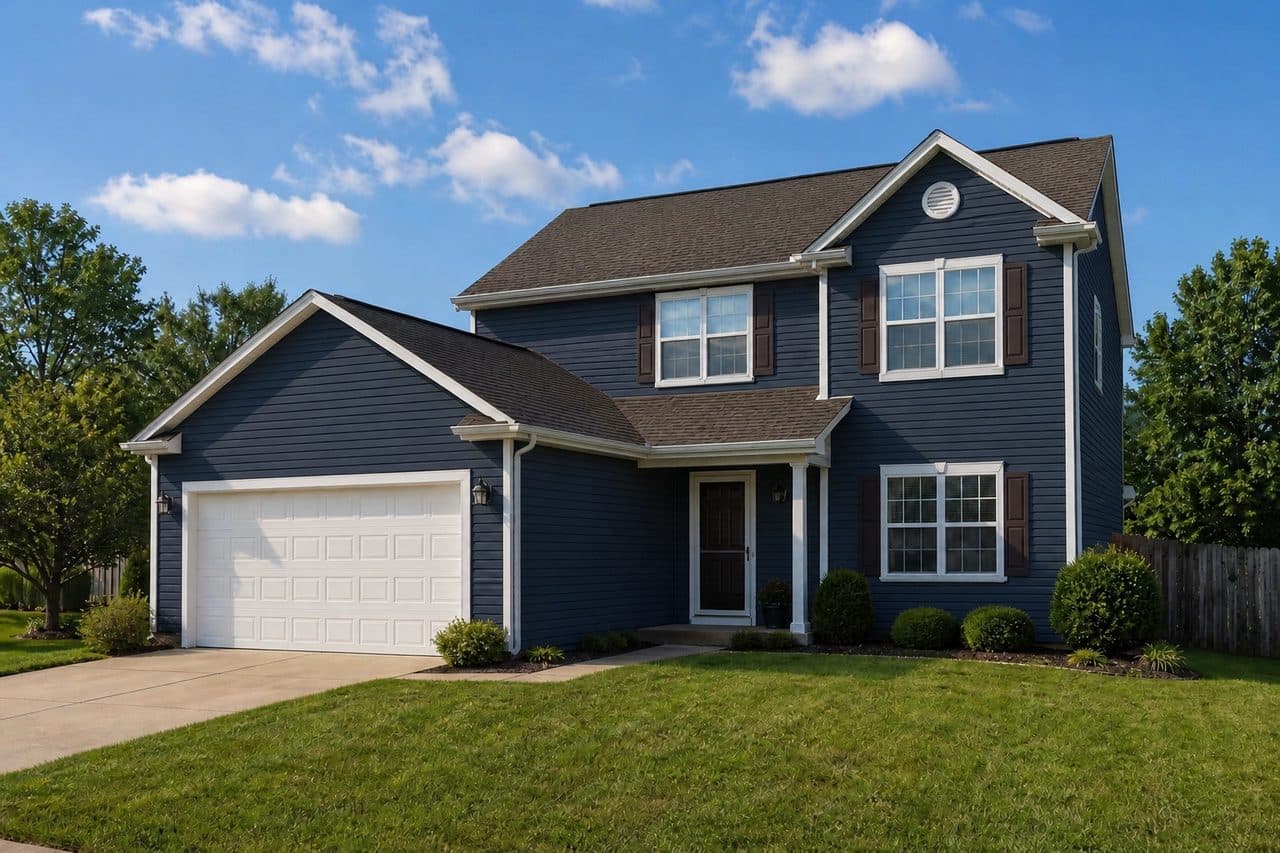
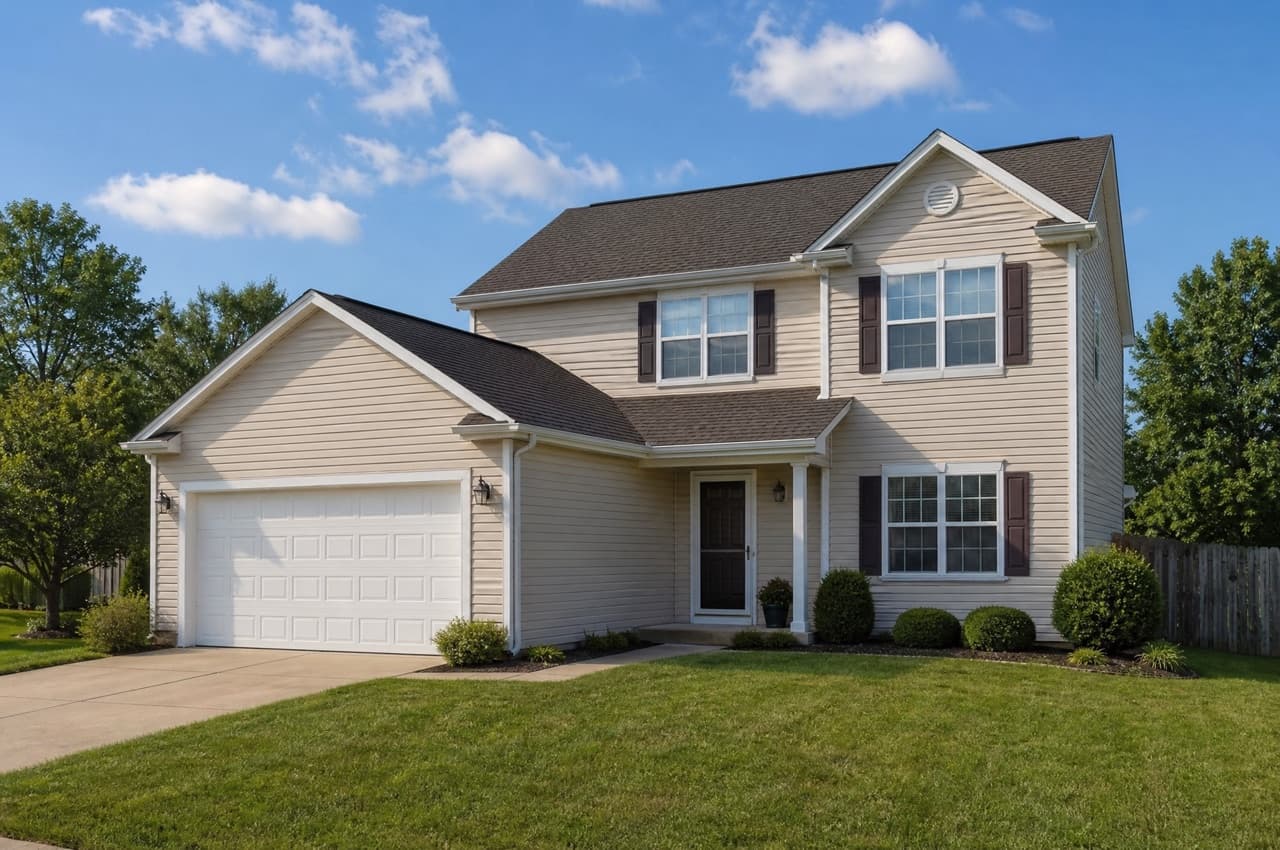 Navy Blue
Upload a photo of your house on the left to see it in a new style.Upload a photo of your house above to see it in a new style.
ExteriorOne surfaceNavy Blue
Try it free with a photo of your room, no card needed.
Exterior Paint Visualizer
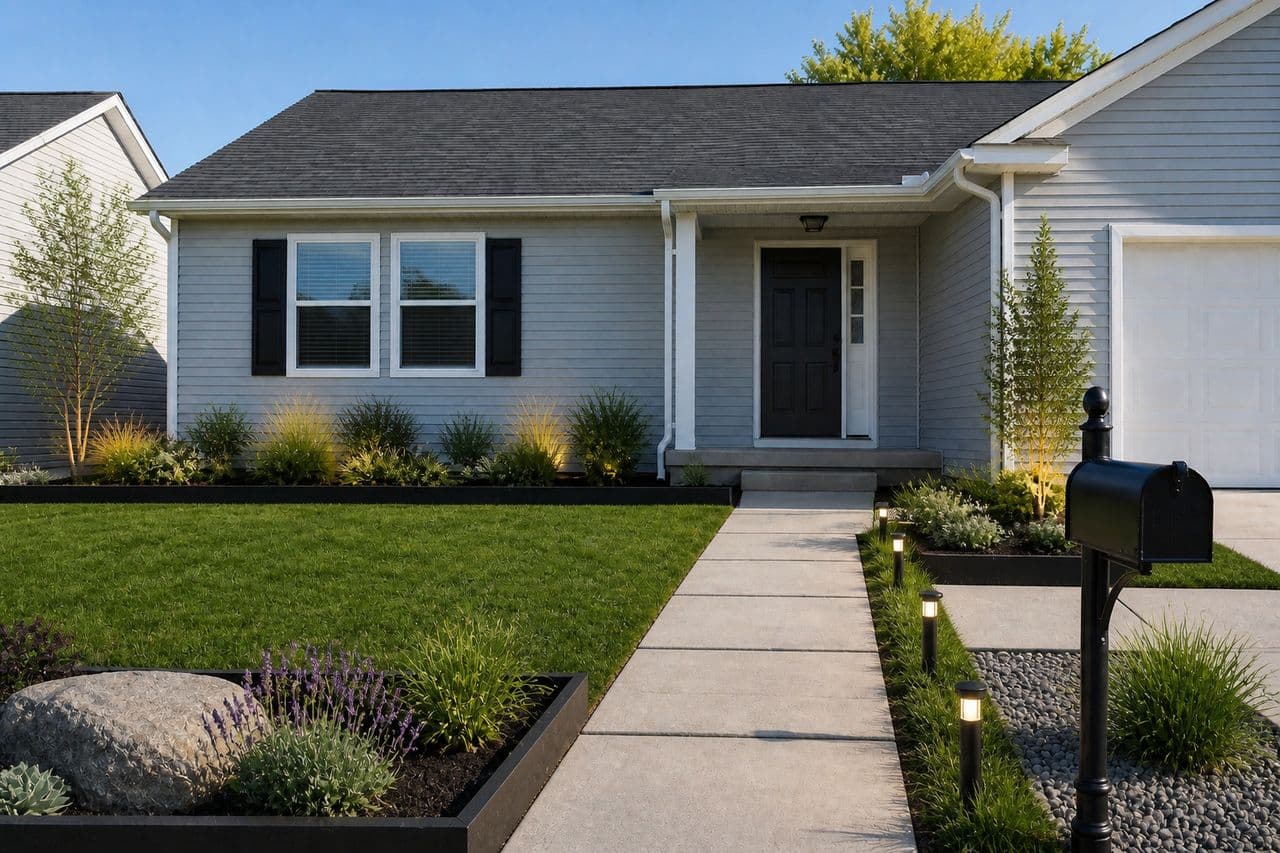
Roomvana's exterior paint visualizer repaints the siding in a photo of your own house, so you can see a color across the whole facade before you buy a gallon. Upload a front-on photo, pick a shade such as Benjamin Moore Hale Navy or Sherwin-Williams Agreeable Gray, and the AI changes only the siding — the windows, roof, front door, driveway and lawn are the same as in your photo. A two-inch chip held up to the house rarely tells you how a whole facade of that color will look from the street; a full-house preview does. It's free to try, and you can test it on our example houses before signing up.
Explore other spaces
Browse all spaces
How to repaint your house exterior with AI
- 01
Upload a photo of your house
Stand across the street and take a straight-on photo of the front of your house in daylight, with as much of the siding in frame as you can. A phone photo is enough.
- 02
Siding is already selected
This page opens Roomvana's Paint the house tool with Siding selected, so the AI recolors only the siding. The front door, shutters and garage door are in the same row.
- 03
Pick an exterior color
Choose from seven exterior paint colors — white, cream, greige, sage, navy, charcoal and black — or try painted white brick, natural cedar or stone veneer. Each paint color names the real Sherwin-Williams or Benjamin Moore shade it's matched to.
- 04
Compare and decide
Slide between before and after, run a second color on the same photo, and send the link to your partner, your HOA or your painter before anyone buys paint.
What the AI can change
It restyles
- Siding paint color across the whole facade
- Painted white brick, natural cedar or stone veneer
- Front door, shutters and garage door — one surface at a time
- Seven exterior paint colors with real paint names
It never touches
- The roof and gutters
- Windows, trim and the front door (unless you pick that surface)
- The driveway, walkway and lawn
- The shape of the house and its rooflines
- The camera angle of your photo
Frequently asked questions
What is an exterior paint visualizer?
+
An exterior paint visualizer shows a paint color on a photo of your own house before you paint it. Roomvana's version repaints only the siding in the photo you upload and leaves the roof, windows, door, driveway and yard as they are, so you judge the color on your real home instead of on a stock house or a two-inch paint chip.
Which exterior paint colors can I try?
+
Roomvana's exterior paint visualizer offers seven siding paint colors: navy blue (Benjamin Moore HC-154 Hale Navy), sage green (Sherwin-Williams SW 6178 Clary Sage), greige (Sherwin-Williams SW 7029 Agreeable Gray), white (Sherwin-Williams SW 7005 Pure White), cream (Benjamin Moore 912 Linen White), charcoal (Benjamin Moore HC-166 Kendall Charcoal) and black (Sherwin-Williams SW 6258 Tricorn Black). The codes are the shades each preset is matched to, so you can ask for them at the paint counter. The same picker also has painted white brick, natural cedar and stone veneer.
Will the color on screen match the paint on my house?
+
The preview is close, not lab-exact. Exterior colors usually look lighter on the house than on the chip, because full sun washes them out, and your screen adds its own shift. Use the render to choose a direction, then paint a large sample board and look at it on the north and south sides of the house at different times of day before you buy.
Can I see a new color on vinyl siding?
+
Yes. The visualizer recolors vinyl, wood, fiber-cement and painted siding the same way. If you plan to actually paint vinyl siding, ask about a vinyl-safe formula: very dark colors absorb heat and can warp vinyl, which is why Sherwin-Williams sells a VinylSafe color range. The render shows the look; your painter confirms the product.
Can I change the front door, shutters or garage door color too?
+
Yes, one surface at a time. In the same tool, switch from Siding to Front door, Shutters or Garage door and pick a color; only that surface changes. To try a full combination, repaint the siding first, then click Change something on the result and repaint the door on top of it.
Does it change the roof?
+
No. The exterior paint visualizer recolors the siding only. To preview a new roof — charcoal or black architectural shingles, weathered-wood shingles, a black standing-seam metal roof or terracotta tile — use Roomvana's roof color visualizer, which changes only the roof.
Is the exterior paint visualizer free?
+
Yes. You can try it free with a photo of your house — no credit card needed. After that, a one-time credit pack (from $14.99 for 30 designs) removes the watermark and unlocks custom instructions and commercial usage rights. No subscription, and credits never expire. You can also try the tool on our example houses before you sign up.
What photo works best for an exterior paint preview?
+
A straight-on photo of the front of the house, taken in daylight from across the street, works best. Get the whole facade in frame, avoid low sun that throws hard shadows across the siding, and move cars out of the driveway if you can. Overcast light is the most forgiving because it shows the siding's true color.
Can I use a color that isn't on the list?
+
The picker has seven paint colors. If you have a specific shade in mind, pick the closest preset and name the color you want — for example 'Sherwin-Williams SW 7069 Iron Ore' — in the custom instructions on a paid render, and the AI will aim for that color.
Can I show the render to my HOA or my painter?
+
Yes. Many HOAs ask for the proposed color before you paint, and a before/after of your own house is easier to approve than a chip. Download the image or share its link; tell the board which real paint code it's matched to, since the render itself is an approximation.
How is this different from redesigning the whole exterior?
+
The exterior paint visualizer changes one thing — the siding color — and keeps everything else in your photo the same. Roomvana's AI exterior design tool restyles the whole facade instead: siding, trim, door, lighting and front-yard landscaping together, in a style such as modern farmhouse or coastal. Use this page when you're only repainting.
Can I compare several house colors?
+
Yes. Run the same photo with two or three shades back to back — navy against charcoal, or sage against greige — and compare the results side by side. Most people narrow it down to one or two colors this way before buying sample pots.